
1. Open Google Play Store on your TV
Go to the "Apps" tab and find the Google Play Store icon on your TV home screen or in the list of installed apps, then open it.
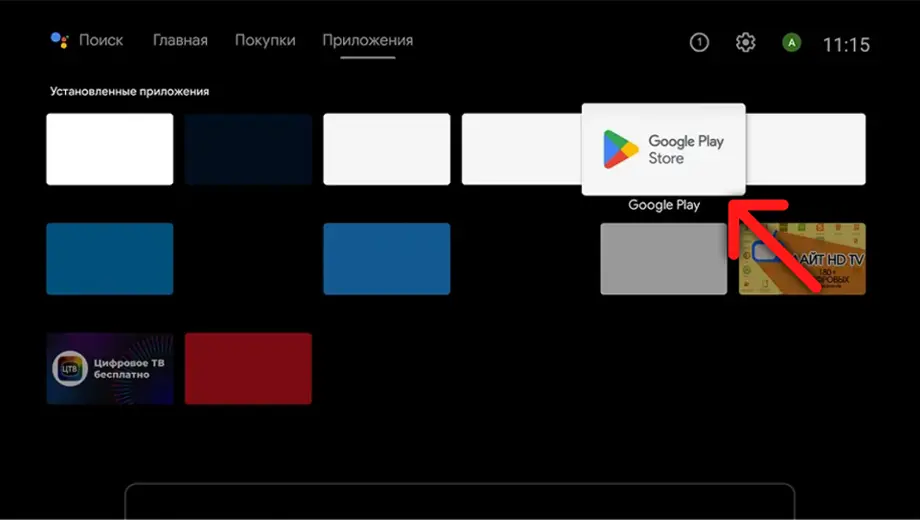
Go to the "Apps" tab and find the Google Play Store icon on your TV home screen or in the list of installed apps, then open it.
Go to the search section, type "UZVision TV" using the on-screen keyboard, and press the confirm button on your remote.
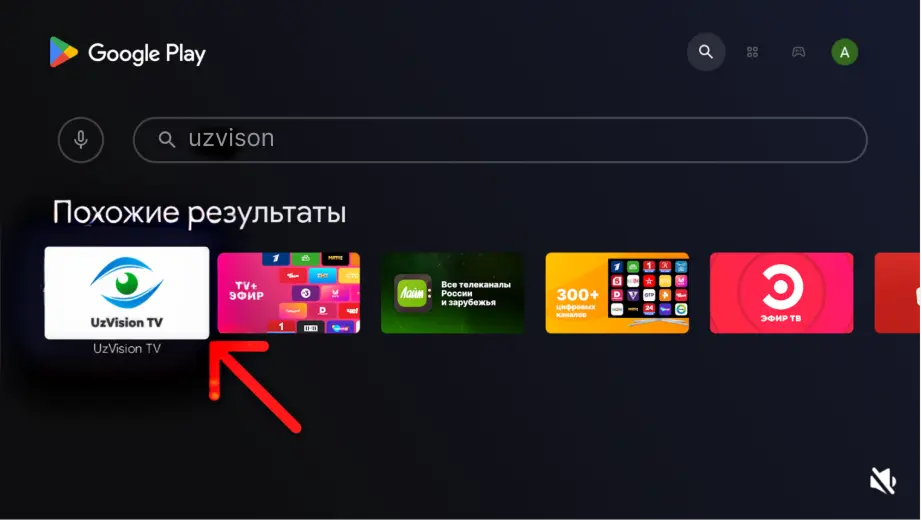
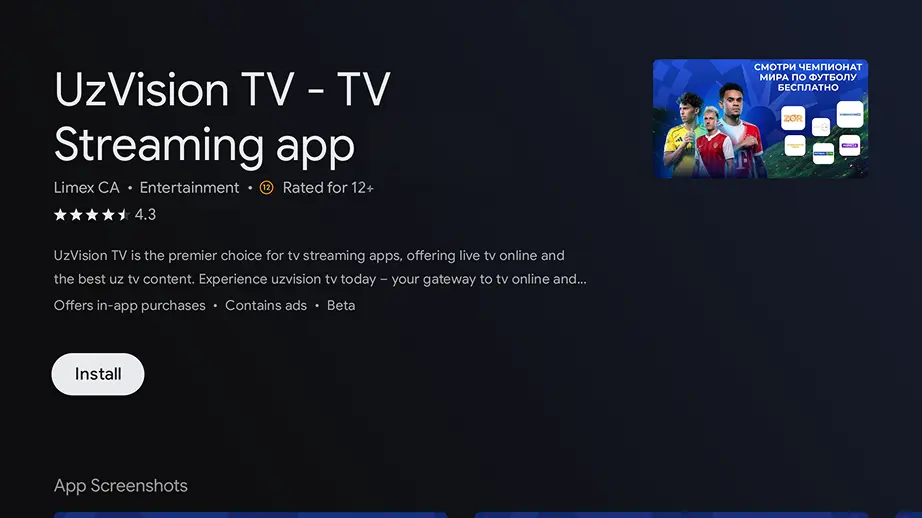
Find the "UZVision TV" app in search results, select it, and tap "Install". Wait until the download is complete.
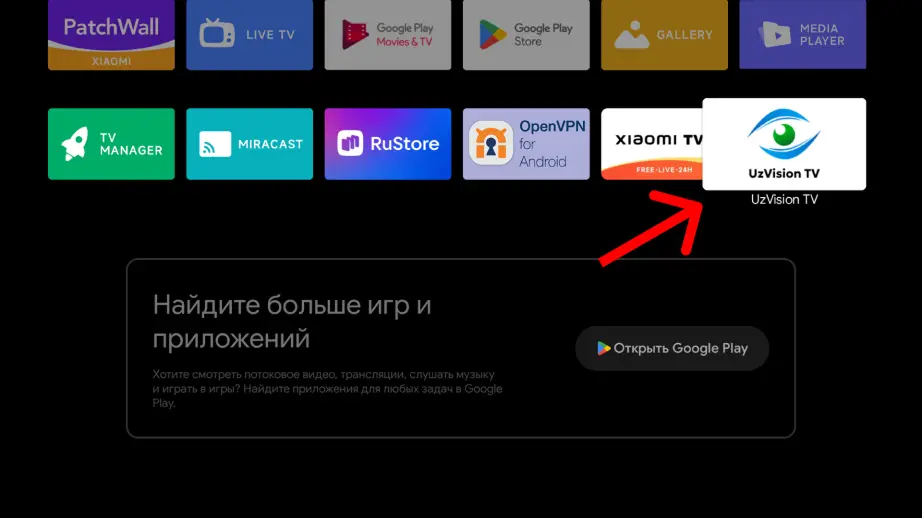
When installation is complete, open the full app list, find "UZVision TV", and launch it to start watching.
UZVision TV is available in Google Play on Android TV and Google TV devices. Watching your favorite channels on the big screen is now even more convenient. The service fully supports popular smart TVs by Xiaomi, TCL, Haier, Hisense, Philips, and Sony. Just download UZVision TV from the official app store and enjoy high-quality content on your Smart TV today!